Course for Ableton Live 101 Pro1.0
Publisher Description
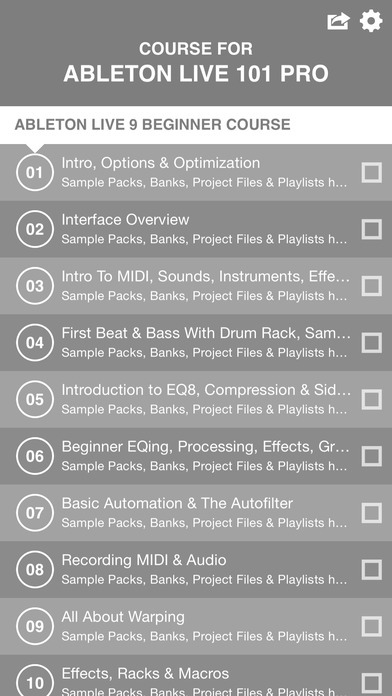
*WHAT WILL YOU LEARN*
Lecture 01. Intro, Options & Optimization
Lecture 02. Interface Overview
Lecture 03. Intro To MIDI, Sounds, Instruments, Effects & Loops
Lecture 04. First Beat & Bass With Drum Rack, Sampler, MIDI & Effects
Lecture 05. Introduction to EQ8, Compression & Sidechain-Compression
Lecture 06. Beginner EQing, Processing, Effects, Grouping & Return Tracks
Lecture 07. Basic Automation & The Autofilter
Lecture 08. Recording MIDI & Audio
Lecture 09. All About Warping
Lecture 10. Effects, Racks & Macros
Lecture 11. Outro, Freezing, Flattening & Common Problems
Lecture 12. Intro
Lecture 13. Gear, Soundcards & Controllers
Lecture 14. The Interface (Session & Arrangement)
Lecture 15. Are We Recieving MIDI?
Lecture 16. The Browser & VST Plugins
Lecture 17. Setup & Preferences
Lecture 18. Audio & MIDI Channels
Lecture 19. Volume, Gain, Panning & Metering
Lecture 20. Intro To Automation
Lecture 21. The Grids
Lecture 22. Intro To Clips & Scenes
Lecture 23. Working In Arrangement View
Lecture 24. Midi Clips
Lecture 25. EQs & Filters
Lecture 26. Audio Clips
Lecture 27. Dynamics
Lecture 28. Coloration
Lecture 29. Reverb & Delays
Lecture 30. Beat Repeat & Looper
Lecture 31. Modulation Devices
Lecture 32. Utilities
Lecture 33. Corpus, Resonators & Vocoder
Lecture 34. Analog Part 1
Lecture 35. Operator
Lecture 36. Analog Part 2
Lecture 37. Simpler & Sampler
Lecture 38. Physical Modelling
Lecture 39. Drum Racks
Lecture 40. MIDI Devices
Lecture 41. Warping
Lecture 42. Midi Overdub & Quantization
Lecture 43. Routing
Lecture 44. Parallel Channels, Groups & Sends
Lecture 45. Recording Audio & Midi
Requires iOS 8.0 or later. Compatible with iPhone, iPad, and iPod touch.
About Course for Ableton Live 101 Pro
The company that develops Course for Ableton Live 101 Pro is Thai Nguyen. The latest version released by its developer is 1.0.
To install Course for Ableton Live 101 Pro on your iOS device, just click the green Continue To App button above to start the installation process. The app is listed on our website since 2015-11-06 and was downloaded 5 times. We have already checked if the download link is safe, however for your own protection we recommend that you scan the downloaded app with your antivirus. Your antivirus may detect the Course for Ableton Live 101 Pro as malware if the download link is broken.
How to install Course for Ableton Live 101 Pro on your iOS device:
- Click on the Continue To App button on our website. This will redirect you to the App Store.
- Once the Course for Ableton Live 101 Pro is shown in the iTunes listing of your iOS device, you can start its download and installation. Tap on the GET button to the right of the app to start downloading it.
- If you are not logged-in the iOS appstore app, you'll be prompted for your your Apple ID and/or password.
- After Course for Ableton Live 101 Pro is downloaded, you'll see an INSTALL button to the right. Tap on it to start the actual installation of the iOS app.
- Once installation is finished you can tap on the OPEN button to start it. Its icon will also be added to your device home screen.
